08/27/2026 • Backup software
Backing Up Open Files: How to Include Them in the Backup
Open files are missing from the backup because Windows locks them. You can set up permissions and the service in just a few steps.
02/15/2016 • Langmeier Backup FAQ
This is how it works: Fully automatic backup as a Windows service
11/02/2013 • Langmeier Backup FAQ
So the automatic network backup always starts!
02/29/2012 • Langmeier Backup FAQ
Where does Langmeier Backup store its data?
01/31/2011 • Langmeier Backup FAQ
Tips: Stop services before backup
08/27/2026 • Backup software
The backup runs manually but not on a schedule: Here's how to enter the login credentials in the backup job
If you start the backup manually, it begins immediately—but the scheduled backup lacks your Windows login credentials. Specify the user in the backup job: The job will then use its own credentials and access the destination on the network every time it runs.
12/02/2015 • Magazine
What is a NAS? Our expert tips on NAS backup
06/26/2017 • Langmeier Backup
Security against data loss with Windows Backup
01/14/2016 • Langmeier Backup FAQ
How can I create a Windows image backup? (In the year 2026)
03/02/2015 • Langmeier Backup FAQ
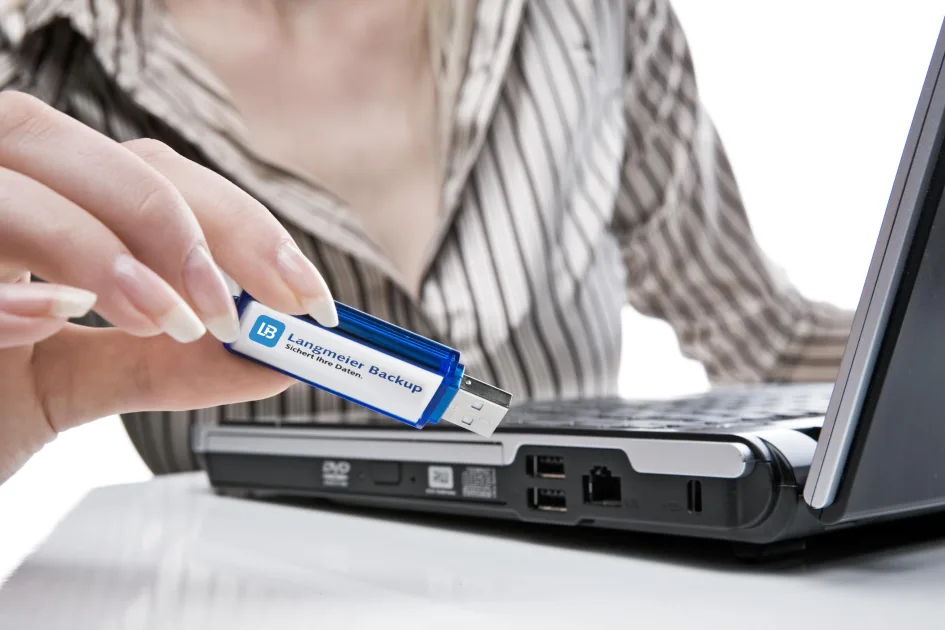
Why can't I create a bootable medium from my USB stick?
02/26/2013 • Langmeier Backup FAQ
Back up Windows system folders correctly
01/24/2011 • Langmeier Backup FAQ
Backing up a partition with Windows encryption enabled

01/23/2026 • aBusiness FAQ
Why AI can fail in the company due to data
Why AI in the company can fail because of data - Find out why unstructured data jeopardizes the foundation for successful AI projects and how the aBusiness Suite closes this gap.
07/03/2023 • PC security
Protect your PC: Important measures and resources to secure your digital world!
07/03/2023 • PC security
Your PC may be infected - protect yourself now!
02/07/2023 • Press Release
Langmeier revolutionizes data backup with Langmeier Backup 12

06/20/2026 • Software development
The Importance of Clean Code for Competitiveness
Find out why the right codebase is crucial for the future viability of your software and how you can save costs and improve quality in the long term through targeted measures. Learn more now!
08/27/2026 • Backup software
Backing Up Multiple Drives as Disk Images
If you have multiple hard drives, specify for each job what should be included in the image—and then verify that an image file for each drive is present in the backup destination.
08/05/2023 • IT Security
IT security: Recognizing and countering human error as a security vulnerability
08/27/2026 • Tips and Tricks
Backup Too Slow: How to Speed Up Your Backup Again
A large number of small files can slow down any backup. What really helps: using an image instead of a file-based backup, a fast destination, and less compression.
02/15/2013 • Langmeier Backup FAQ
Successfully back up and restore Windows permissions
08/27/2026 • Tips and Tricks
Shortcut no longer starts the backup job: Create a new shortcut in Langmeier Backup
If the shortcut only opens the program window, simply move it to a new location in Langmeier Backup: Select the job, then choose "Place shortcut on the desktop."
08/27/2026 • Langmeier Backup FAQ
Boot the rescue stick: Create a new rescue medium using Langmeier Backup 15
Does the new computer ignore the rescue flash drive? Your backed-up data will remain intact. Here's how to reformat the flash drive to make it UEFI-compatible.
08/27/2026 • Backup software
Restore an image on a new computer: Windows won't start
Windows won't start on the new computer—using the Startup Repair tool gets it running again. The data in the image is complete.
08/27/2026 • Backup software
Backing Up to the Network: How to Ensure the Job Runs Reliably via the UNC Path
UNC path instead of a drive letter: three error scenarios, along with the underlying Windows mechanics and the corresponding settings in the backup job.
06/19/2026 • Software development
Revitalizing the Dinosaur: How to Catapult Legacy Windows Apps into the Year 2026
Learn how to catapult your legacy Windows apps into the year 2026 s and modernize them without having to completely rewrite the code. Discover survival strategies for Unicode, DPI awareness, UI design, and more!

06/16/2026 • Backup software
Risks of Not Using Backup Software on Windows 11
Find out why backup software is essential for Windows! Protect your data from loss and safeguard against hardware failures, ransomware, user errors, and more. Click here to learn more!
06/15/2026 • Backup management
Backup Strategy for Corporate Networks: DNS Names vs. IP Addresses
Learn why the choice between DNS names and IP addresses is critical to a backup strategy for corporate networks, and how a hybrid strategy can be the optimal solution.
04/15/2026 • Backup software
The best backup software is the one you actually use
Find out why the best backup software is the one you really use. Read about what really matters when backing up data for Windows and how you can protect yourself against ransomware.
06/28/2025 • News & Events
Data backup - why it is more important than ever today

06/10/2025 • Langmeier Backup
How to Boot Windows 11 from a USB Drive – Instructions 2026
Learn how to boot Windows 11 from a USB flash drive and why it is useful in different situations. Click here to find out more!
12/15/2024 • Backup software
Backup for Windows 10: How to back up your data to an external hard drive
09/30/2024 • Langmeier Backup FAQ
Windows 11: Error when switching on memory integrity / core isolation
09/16/2024 • Langmeier Backup
How to prevent error messages when creating a rescue medium on Windows Server
09/13/2024 • Backing up your data
The role of encryption in backups: Why and how to encrypt your backups


 Brochure