Langmeier Software Magazine
Clever design of IT equipment
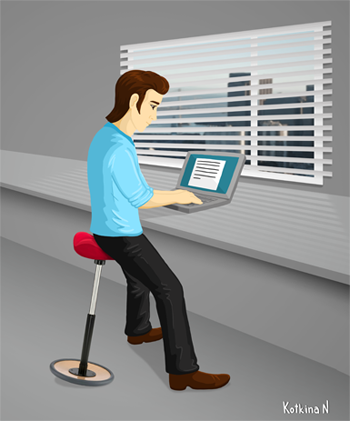
Clever office design keeps the modern man fit and healthy.
Computers and the Internet have long been taken for granted. This makes it all the more surprising that there are still offices, workshops and home offices with PCs whose computers, monitors, printers and Internet connections offer the latest technology, but where IT furniture is concerned, the cost-cutting measures are clearly evident. However, the wrong attitude in the choice of IT equipment is only recognized when the consequences occur. And these can be very different. From back pain and the associated loss of working hours to disabilities in daily work and the associated loss of income.
IT furniture is a good partner for success
When choosing IT furniture, it is first important to determine the purposes for which computers and the Internet are required. A car repair shop, for example, has different requirements for IT furniture than a wood processing company or an office. However, the PC workstation in a home office should also meet the professional requirements of an IT facility similar to an office.
Ergonomics at the workplace
It's old hat, you might think, because healthy office furniture is no longer a novelty. Unfortunately, reality paints a different picture, a picture that has nothing to do with healthy office furniture. With the right combination of swivel chair, computer desk and daylight, an excellent IT workstation can be created quickly and easily. The rules apply equally to the office, workshop and home office.
What is important for a swivel chair
Movement is the central element, even when working with a PC in a seated position. Poor swivel chairs do not allow the spine to move. This movement is important to ensure sufficient blood flow to the spine. A rigid posture paralyzes blood circulation and leads to serious back pain. Many manufacturers of office furniture offer swivel chairs whose backrests can be moved independently of the seat - including KAISER+KRAFT. This allows you to move your spine by gently rocking while sitting. The slight rocking movements are completely sufficient to ensure adequate blood circulation in the spine.
Despite all the technique, you should still take a break from time to time and do some exercise. Simple exercises to relax the back and neck muscles are particularly helpful, such as this relaxation exercise here on fem.com.
What the screen has to do with unpleasant neck pain
If you are sitting in the right chair, the next step is to adjust the screen ergonomically. When sitting upright, the top edge of the screen should be at eye level. People who work a lot with a laptop regularly adopt an incorrect posture. This can be remedied with a stand that raises the laptop screen to the correct height. With an external keyboard and mouse, the laptop can then be used for long periods of time without causing neck pain.
Putting the workstation in the right light
Daylight often competes with the light from the monitor. If the workstation is poorly aligned, the daylight dazzles the eyes and the monitor is difficult to read. This strains concentration and leads to pain. Either change the workstation until the eyes are no longer dazzled or, if this is not possible, darken the windows until you can work comfortably.
Technical infrastructure today and tomorrow
Anyone setting up an IT workstation should also consider the technical infrastructure. Electrical connections are particularly important, and experience has shown that you can never have enough of them. If possible, you should also plan for cable tunnels that make it easy to connect devices later and hide the cables from view. After all, an IT workstation should not only be functional and ergonomically correct, but also make a tidy impression.


 Brochure