Press Release
Langmeier Backup 15: Modern Windows Backup Runs Even with Secure Boot Enabled
A new version of the Swiss backup software automatically backs up PCs and servers and can also restore entire Windows systems in the event of an emergency.
Date: 01.10.2026
Freienbach, Switzerland - October 2026. When Windows won't start anymore, a small computer problem quickly turns into a major outage. A faulty drive, a corrupted system, or ransomware can make important files and programs unreachable. That's when it matters whether a backup exists – and above all, whether the computer can actually be restored with it.
This is exactly where Langmeier Backup 15 comes in. The new version of the Swiss backup software backs up files, folders, partitions, and complete Windows systems and can restore them when needed. The new 64-bit emergency boot medium supports modern UEFI systems and boots even with Secure Boot enabled. Users don't have to disable the computer's security feature just to perform a recovery.
In a nutshell
Langmeier Backup 15 for Windows
- Automatic backup of PCs and servers
- Backup of individual files and folders
- Backup of complete partitions and drives
- Full restoration of a Windows system
- New 64-bit emergency boot medium for modern UEFI systems
- Secure Boot can remain enabled during recovery
- Hardware-independent restoration of drive images Restore individual files from a backup
- Protection against data loss and ransomware
- Backup to local drives, NAS, USB, FTP, and S3-compatible cloud storage
- Langmeier Immutable Cloud with immutable backups
- Try it free for 30 days
When Windows won't start anymore
A backup is only truly helpful if the backed-up data can actually be recovered in an emergency. With a faulty drive, it's therefore not always enough to be able to copy individual files. If an entire computer needs to be brought back into operation, the operating system with its programs and settings should be restorable as well.
Langmeier Backup can create complete drive images for this purpose. If the hard drive fails or Windows is corrupted, the computer can be booted from the emergency boot medium and the previously backed-up system restored.
It doesn't matter whether only a single file is needed or the entire computer has failed: individual files can also be restored from a drive image.
Secure Boot doesn't have to be disabled
Modern Windows PCs use UEFI and Secure Boot to protect the computer's boot process against tampered or unauthorized software. Older emergency boot media don't always handle this environment smoothly.
For recovery, Langmeier Backup 15 has therefore received a new 64-bit emergency boot medium. An integrated UEFI boot manager enables booting on modern computers even with Secure Boot enabled.
This makes the recovery process easier, especially when a computer needs to be brought back into operation as quickly as possible after a hard drive failure or a corrupted Windows system.
Restore even after a hard drive swap
A particularly critical situation arises when not only Windows is corrupted but the hard drive or SSD itself fails. Then the backup must be restorable to a new drive.
Langmeier Backup 15 supports hardware-independent restoration of drive images. This allows a backed-up Windows system to be restored even after replacing a faulty drive or even on a completely different computer.
This is especially important for PCs and servers where not only files but also programs, settings, and the complete working environment need to be preserved.
Multiple versions protect against corrupted data
A backup doesn't automatically protect against every form of data loss. If files are accidentally deleted, overwritten, or encrypted by malware, a single current backup may already contain the same corrupted state.
Langmeier Backup can therefore retain multiple generations of a backup. This way, an older version of the data is also available when needed. Protection is further increased by the flexible swapping of backup drives: Langmeier Backup automatically detects the newly inserted medium and brings it right up to date.
This is particularly important with ransomware: if a file is encrypted and then backed up, an older backup or a separately stored backup medium can contain the state before the attack.
Back up automatically, without having to think about it
Backups shouldn't depend on someone regularly remembering to start one. Langmeier Backup 15 can run backup jobs automatically on a schedule and work in the background.
Separate backup jobs can be set up for different PCs and servers. Depending on the use case, different schedules and storage destinations can be used.
Backups can be stored on local hard drives, external USB drives, NAS systems, FTP storage, or S3-compatible cloud storage. If you also want to protect your backups against subsequent deletion or modification, you can use the Langmeier Immutable Cloud for that.
Langmeier Immutable Cloud: When even the backup needs protection from ransomware
Ransomware doesn't have to stop at the files on the PC. If an attacker detects that backups are reachable, they may try
to delete or overwrite those as well. A backup that can no longer be restored afterward is of little help in an emergency.
This is where the Langmeier Immutable Cloud comes in. There, backups are stored immutably. Once a backup state has been saved, it can neither be modified nor deleted afterward.
This preserves a recovery option even if ransomware has already attacked the data on the computer and reachable storage destinations. Older backup versions can thus still be used for recovery.
The principle is deliberately simple: What has once been saved as a backup remains preserved as a backup version. Businesses don't need to set up a complicated Linux configuration or additional retention rules for this.
Langmeier Backup 15: For individual files as well as complete systems
Whether individual documents, photos, and project files or a complete Windows PC: Langmeier Backup 15 is designed for different requirements.
An accidentally deleted file can be selectively recovered from a backup. If, on the other hand, an entire computer needs to be restored after a hard drive failure, the backed-up drive image can be used.
This way, Langmeier Backup 15 combines classic file backup with the ability to restore complete Windows systems .
“What matters is what happens in an emergency: when Windows won't start anymore, recovery has to work. That's why with Backup 15 we placed particular emphasis on UEFI, Secure Boot, and hardware-independent recovery, and on simple operation without expert knowledge .”
— Urs Langmeier, Managing Director of Langmeier Software GmbH
Try Langmeier Backup 15 for free
Langmeier Backup 15 can be tried free for 30 days. The software is available for Windows PCs and servers.
For more information and download, visit: www.langmeier-backup.com
Pricing and availability
Langmeier Backup 15 is available immediately via the official Langmeier Software website and through authorized specialist retailers. For journalists and editorial teams, Langmeier Software provides free review keys and test licenses upon request.
Subscription licenses
Prices per year including support and updates:
- Langmeier Backup Essentials: 39.90 EUR/year:
Backup for standalone PCs and laptops
- Langmeier Backup Professional: 49.50 EUR/year:
Advanced PC backup with encryption
- Langmeier Backup Business: 69.00 EUR/year
For SMBs, including scripting and tape drive support
- Langmeier Backup Server: 139.00 EUR/year
Backup of physical Windows servers
- Langmeier Backup V-flex Unlimited: 278.00 EUR/year
Unlimited virtual servers per host
Perpetual licenses
One-time purchase, including time-limited maintenance for support and updates:
- Langmeier Backup Business: from 257.00 EUR
- Langmeier Backup Server: from 499.00 EUR
- Langmeier Backup V-flex: from 610.00 EUR
Perpetual licenses have an unlimited term. Support and updates are included during the maintenance period (3 years); maintenance can be extended.
Note: All prices are MSRP in EUR. Volume discounts are available for orders of 10 or more.
Please note that the prices stated here serve as guidelines as of the publication date. For current and binding prices, please refer to our website at www.langmeier-backup.com.
About Langmeier Software
Langmeier Software has been developing software for data backup and business use since 2004. The Swiss company was founded by Urs Langmeier and has specialized in the backup and recovery of Windows systems with Langmeier Backup.
Today, in addition to backup solutions, Langmeier Software also develops cloud and SaaS products for businesses.
Press photos, screenshots, and review copies
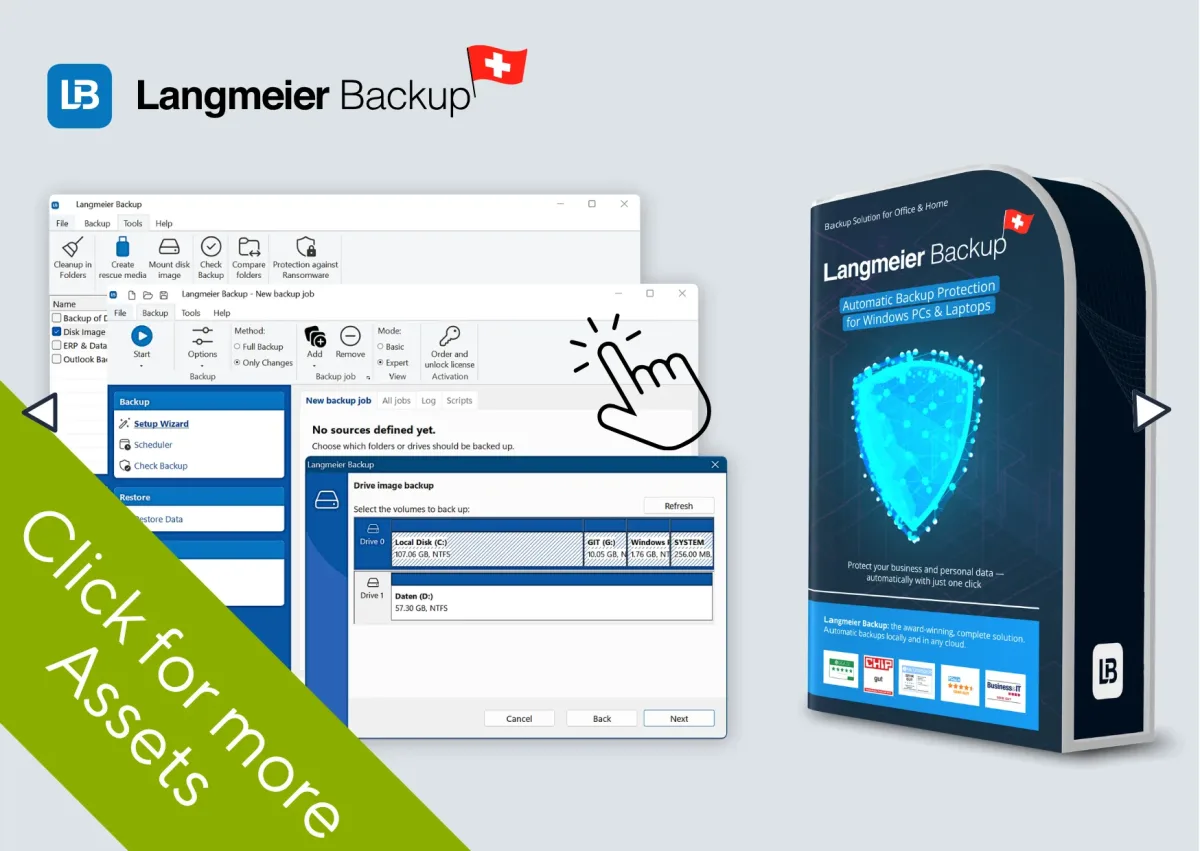
For editorial coverage, Langmeier Software provides press photos, screenshots, product images, and box shots of Langmeier Backup 15 in the newsroom.
Newsroom:
www.langmeier-backup.com/press
Upon publication, we would appreciate receiving a copy or a note about the publication.
Editorial teams and trade media can also request free review copies.
Press contact
Langmeier Software GmbH
Churerstrasse 47
8808 Freienbach (Greater Zurich Area)
Switzerland
Urs Langmeier
Tel.: +41 43 500 06 00
Email: info@langmeier-software.com
www.langmeier-software.com
(approx. 8,000 characters, released for free publication)


 Brochure