|
|
The advantages of PC Rambazamba
- The longer a PC is used, the more ballast accumulates on it. This ballast makes the PC sluggish and slow. The performance gain in PC Rambazamba is largely achieved by removing clutter. In addition, some Windows settings are optimized. Finally, defragmentation again leads to a considerable increase in performance.
- The longer a PC is in operation, the more programs are installed as background processes, placing an enormous load on the system. Switching off many of these background processes results in an enormous gain in speed.
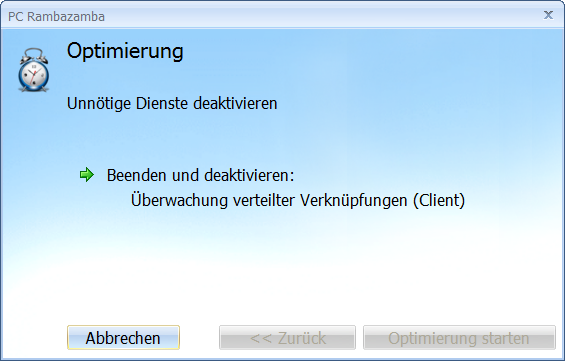
- Windows is delivered with services that are not needed. These services are deactivated. Only important Windows services remain activated.
- While surfing in Internet Explorer, hidden add-ons that are not needed run alongside. These are deactivated.
- Some installation programs install a toolbar for Internet Explorer in addition to the actual application. These toolbars put a strain on the PC and make surfing the Internet slower. They also make the browser window smaller. With PC Rambazamba you can uninstall these toolbars easily and conveniently.
- Many programs write temporary files to the hard disk. Deleting these files often does not work. PC Rambazamba deletes all temporary files that are no longer needed.
- Some PC optimization programs make system settings that are counterproductive. Other Windows settings are set incorrectly by default. PC Rambazamba corrects these suboptimal settings.
- From time to time, the bits and bytes on the PC hard disk have to be pushed together again because the individual files are no longer stored in one piece due to many write accesses, but are stored internally in fragmented form. Defragmentation reassembles the files into whole pieces and thus ensures faster read and write access to the hard disk.
\
- PC Rambazamba can:
- Optimize the system startup
- Make Internet surfing faster
- Make opening images, music and documents faster
- Make starting programs faster
- Improve the general performance of your PC
- Deactivate a lot of malware (viruses, Trojans, malware)
- Free up disk space on your computer
- Remove error messages when starting the computer
|


 Brochure